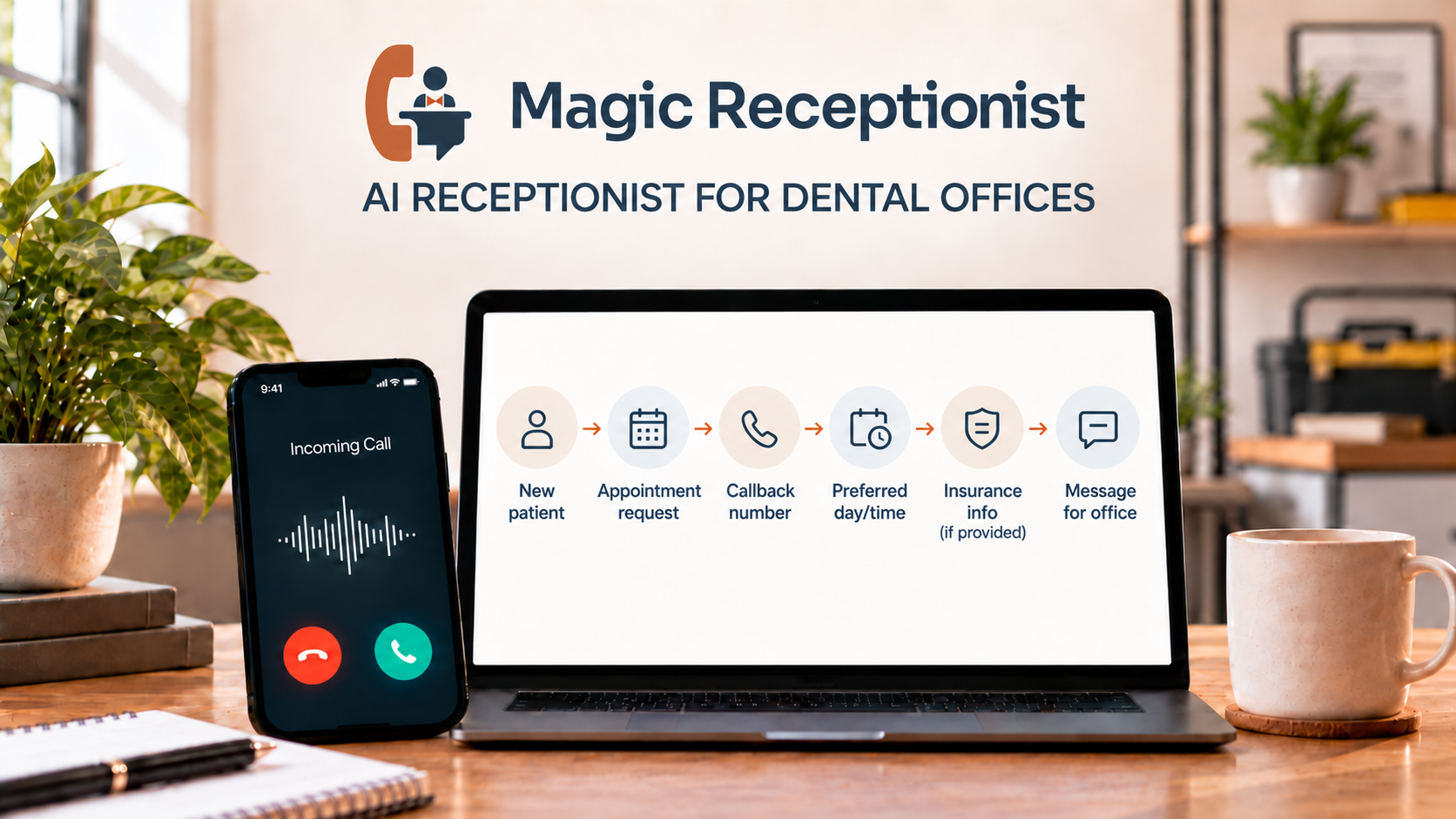
Dental calls mix appointment requests and routine front-desk work with questions that belong with the dentist, clinical team, or benefits staff. When the front desk is helping patients or the office is closed, a useful phone workflow captures the caller’s needs and makes the next step clear.
An AI receptionist can help when its job is clearly administrative: answer the phone, identify what the caller needs, capture an appointment request or message, collect practice-approved intake details, and give the front desk a usable next step. It should not diagnose a dental problem, decide whether treatment is urgent, promise insurance coverage, or answer patient-specific clinical questions.
Why dental phone intake is a good candidate for automation
The American Dental Association's patient-intake guidance says a phone call is still likely to be a prospective patient's first communication with a practice. The ADA recommends consistent phone scripts and notes that new-patient calls commonly cover the reason for the call, appointment availability, contact preferences, and whether the patient has dental benefit coverage.
Those repeatable questions are where an AI receptionist can be most useful. The goal is not to replace the front desk. It is to make sure the first layer of a call is answered consistently when staff are helping patients, away from the desk, or the office is closed.
New-patient calls
For a new patient, the receptionist can collect the basic information the practice has approved for the call flow, such as:
- Name and callback number
- Whether the caller is new to the practice
- Why they are calling, in their own words
- The type of appointment they are requesting
- Preferred days or times
- Dental benefit information the practice has chosen to collect
- The next step the caller is asking for
Keep the intake short. The useful outcome is a clear starting point for the office, not a long interrogation before the patient has even spoken with the team.
Existing-patient and administrative calls
Existing patients may call to change an appointment, ask about office hours, request records, follow up on paperwork, ask a billing question, or reach a particular team member.
An AI receptionist can identify the reason for the call and capture a message. Anything that depends on the patient's chart, treatment history, account, or clinical judgment should move to the appropriate staff member instead of being guessed from a script.
Can an AI receptionist answer dental insurance questions?
It can collect information the patient provides, but that is different from verifying eligibility or promising what a plan will pay.
The ADA's eligibility-verification guidance says dental offices should verify eligibility on the date of service and notes that payer information can change or even be updated retroactively. In practice, eligibility is often checked by office staff through a payer portal or the number on the patient's identification card.
So a safe phone workflow is simple: collect the plan details the office wants, record the patient's question, and let the office or a properly connected and verified workflow handle actual eligibility and benefit verification. The receptionist should not tell a caller that a procedure is covered or estimate the patient's final responsibility unless the practice has a verified process that is specifically designed to do that.
What happens with urgent or clinical calls?
The AI should follow the dental office's instructions, not make a clinical decision.
The ADA recommends that practices have a defined plan for after-hours and emergency calls, including clear instructions for reaching the dentist or another appropriate resource. The dentist remains responsible for assessing whether a dental situation is truly an emergency.
That means the receptionist can capture what the caller reports and trigger the practice's approved next step. It should not diagnose symptoms, recommend treatment, or decide that a patient is safe to wait.
What about HIPAA and patient information?
Dental offices need to be deliberate about what information an automated phone workflow handles.
HHS guidance on business associates explains that a vendor performing services for a covered health care provider may be a business associate when the service involves creating, receiving, maintaining, or transmitting protected health information. In those situations, the required safeguards and written agreements matter.
Magic Receptionist does not claim that every setup is automatically HIPAA compliant. Its current FAQ states that when protected health information is in scope, the appropriate configuration and any required business associate agreement or other written agreement must be in place before that information is handled.
For a dental office, the practical rule is to decide what the receptionist truly needs to collect, keep unnecessary sensitive information out of the call flow, and make sure any PHI-handling setup is approved before it goes live.
How Magic Receptionist fits a dental office
Magic Receptionist's dental setup is built around configured inbound call coverage. It can answer the configured phone path, collect approved caller context and appointment-request information, capture insurance information stated by the caller when that field is enabled, and leave the team a usable record for follow-up.
Exact routing, notifications, booking actions, integrations, coverage windows, and PHI handling depend on the workflow and written terms actually in place. Magic Receptionist also identifies itself as AI in its opening greeting, so patients are not led to believe they are speaking with a person.
What a dental office should decide before launch
Which calls should the AI handle?
Decide whether it covers the main line, overflow, after-hours calls, or a combination. Start with repeatable administrative calls rather than trying to automate every situation at once.
What information may it collect?
Choose the minimum fields staff actually need and determine whether those fields contain protected health information before enabling them. Contact details and appointment requests may still require a PHI-handling setup.
What counts as a human handoff?
Write down the situations that should go to the dentist, clinical team, billing or benefits staff, or another designated person.
What is the urgent-call path?
Use the practice's existing emergency and after-hours instructions. The AI should follow that path consistently instead of creating its own medical rules.
Is an appointment being requested or actually booked?
Make that clear to the caller. If a scheduling integration has not been configured and tested, the receptionist should capture an appointment request rather than imply that a time is confirmed.
How will insurance questions be handled?
Decide whether the receptionist only captures the patient's stated plan information or whether a separate verified workflow will perform eligibility checks. Do not blur those two jobs.
Bottom line
An AI receptionist can take pressure off a dental front desk by handling the predictable first layer of phone intake. The strongest use is not replacing staff. It is making sure routine calls are answered, basic context is captured, and the patient reaches a clear next step without asking automation to make clinical, benefits, or privacy-sensitive decisions it should not make.
For practices considering Magic Receptionist, the next question is not whether AI can answer a phone. It is which calls you want it to handle, which information it may collect, and where your staff should take over.